


Overview:
Paying bills back home while living in the UAE often means queuing at remittance centres, dealing with unclear fees, or relying on family members to handle payments manually. myZoi’s international bill payment app lets UAE residents pay utilities, mobile bills, and education fees directly to billers in India, the Philippines, Pakistan, Egypt, and other countries from their phone in minutes. This guide covers which countries and billers myZoi supports, how exchange rates and fees work, the complete setup process, security features, and practical tips to save money on every payment.
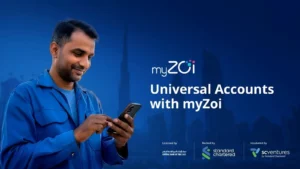
You’ve sent money home before, but paying bills directly is different. Instead of sending money to your family and hoping they remember to pay the electricity provider on time, you can settle the bill yourself in minutes. myZoi is a licensed digital wallet that allows you to pay bills in your home country from the UAE without needing a traditional bank account.
More than 60% of migrant workers in the UAE earn less than AED 5,000 per month, which is below the minimum required to open a bank account. myZoi serves workers who’ve been excluded from traditional banking, giving them control over their families’ essential expenses.
What Makes myZoi an International Bill Payment App
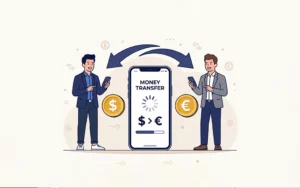
An international bill payment app connects your UAE bank account or wallet to billers in other countries, utility companies, telecom providers, and schools so you can pay their bills directly without sending money to a family member first. myZoi supports cross-border bill payments with live foreign exchange rates, transparent fees, and instant confirmation.
myZoi operates under the Central Bank of the UAE regulation, which requires digital payment providers to meet security, anti-money laundering, and consumer protection standards. This means every transaction is monitored for safety, and your account is protected by the same rules that govern UAE banks.
myZoi shows you the exact exchange rate before you confirm a payment, locks it in for your transaction, and sends you a confirmation the moment the biller receives payment, with no waiting days to find out if it went through.
Supported Countries and Billers
myZoi currently supports bill payments to India, the Philippines, Pakistan, and Egypt, the four largest remittance corridors from the UAE. These countries consistently rank among the top destinations for UAE outbound remittances, driven by the country’s large expatriate population. Together, these major corridors receive a significant share of UAE remittance flows, with India, Pakistan, and the Philippines alone accounting for a large portion of total outbound transfers each year.
Within these countries, you can pay:
- Utilities: Electricity, water, and gas bills for most major providers
- Telecommunications: Mobile phone top-ups, postpaid bills, and internet services
- Education: School fees and tuition payments
Utilities and telecom bills are the most common recurring payments workers make on behalf of family members back home. myZoi’s biller partnerships focus on these categories first.
The service is available 24/7. Unlike remittance outlets with opening hours, you can pay a bill at any time during your lunch break, after your shift, or on your day off.
Exchange Rates, Fees & Limits
myZoi charges a transparent service fee plus a foreign exchange margin on each bill payment. The global average cost of sending remittances was around 6.49%
in 2025, while costs from the UAE corridors are typically lower, often ranging between ~3% and 5% depending on destination and provider.
When you enter a bill payment, myZoi shows you:
- The exact amount in your home country’s currency
- The exchange rate being used
- The total cost in UAE dirhams, including all fees
Paycards & Prepaid Cards
Paycards are reloadable prepaid debit cards that connect to payroll systems through standard electronic payment files. Employees receive their wages on a card they can use straight away for purchases, ATM withdrawals, or transfers, without the needs for a traditional bank account. Integration works through a batch file upload or API connection that follows the same process as your existing WPS submission.
For workers, the benefits are clear:
- The exact amount in your home country’s currency
- The exchange rate being used
- The total cost in UAE dirhams, including all fees
This rate is locked in once you confirm you won’t be charged more if the exchange rate changes between confirmation and completion.
Example: To pay an INR 5,000 electricity bill in India, myZoi displays the AED equivalent at today’s rate, adds the service fee, and shows you the final cost before you approve. If the total is AED 250, that’s what you pay; no hidden charges appear later.
Daily and monthly payment limits apply based on your account verification level. Verified accounts with Emirates ID have higher limits than unverified accounts. The specific limits are shown in your app settings.
Transparent pricing and real-time exchange rate visibility are the top trust factors for first-time digital payment users, particularly among migrant worker populations. myZoi makes rates and fees visible upfront for this reason.
Set Up myZoi and Add Home-Country Bills
Setting up myZoi takes under 10 minutes if you have your Emirates ID or passport ready. The UAE government’s digital identity infrastructure streamlines onboarding by connecting your ID directly to verification systems, removing most manual steps.
Download & Register
- Download the myZoi app from the Apple App Store or Google Play Store.
- During registration, provide your mobile number and create a secure password.
- You’ll receive an SMS code to verify your number. Enter it to complete the first step.
Verify Your Identity
myZoi requires identity verification to comply with UAE regulations. You can verify using your Emirates ID or passport.
The app uses AI-powered selfie verification: an uploaded photo of your ID and a selfie. The system compares them to confirm you’re the person on the ID. Two-factor authentication and biometric verification are now standard requirements for UAE-regulated payment apps. These steps protect your account from unauthorised access.
Verification is usually completed within minutes. You’ll receive a notification when your account is approved.
Link a Funding Source
Add a UAE bank account or debit card to fund your bill payments. myZoi will send a small test transaction (usually AED 1) to verify the account. This amount is refunded immediately.
Once verified, you can add funds to your myZoi wallet or link the account for direct payments. Some banks offer promotions for first-time users. Check your app for current offers.
Add Beneficiaries/Billers
To pay a bill, you need to add the biller as a beneficiary. This requires:
- The biller’s name (e.g., “Delhi Electricity Board”)
- Your family member’s customer account number
- The service address (for utilities)
myZoi validates these details before saving them. Once added, you can reuse the same biller for future payments without re-entering information. Save frequent billers as favourites for faster access.
Pay Bills in Your Home Country from the UAE
Once your account is set up and billers are added, paying a bill takes three steps: select the biller, enter the amount, and confirm. The platform handles currency conversion, routing, and confirmation automatically.
Utilities
To pay an electricity or water bill:
- Select the saved utility biller from your beneficiaries list.
- Enter the bill amount in your home country’s currency or upload a photo of the bill; myZoi can read the amount directly.
- Review the exchange rate and total cost in AED.
- Confirm the payment. Instant or same-day settlement is available for major utility providers in India, the Philippines, and Pakistan.
- You’ll receive confirmation within minutes that the biller has received payment.
Mobile & Internet
For mobile top-ups or postpaid bills, select the telecom provider and enter the phone number or account number. The app shows you the exact amount in local currency before you pay. This works for prepaid mobile top-ups (recharge) and postpaid bill payments. Both settle instantly in most cases.
Education Fees
For school or tuition payments, select the education institution as your biller and enter the term or semester you’re paying for. You can schedule future payments if you know tuition is due in advance. myZoi will process it automatically on the date you choose.
Recurring payment scheduling reduces missed payments and helps you manage family financial obligations more reliably. Set up monthly utility payments or quarterly school fees to avoid late penalties.
Security & Compliance
myZoi is licensed and regulated by the Central Bank of the UAE under the Financial Services Regulation. This means the platform must meet strict security, anti-money laundering, and consumer protection standards.
Every transaction is encrypted end-to-end. Your bank details and personal information are never shared with billers; only the payment itself is transferred. Two-factor authentication protects your account: even if someone has your password, they can’t access your account without your phone.
If a payment fails or is sent to the wrong account due to an error on myZoi’s side, the platform’s refund and dispute resolution process applies. Contact support immediately if you believe a payment was processed incorrectly.
Money-Saving Tips
A few simple habits can help you reduce costs and get better value from every international bill payment:
- Check exchange rates before large payments: Foreign exchange rates fluctuate daily. If you’re paying a large bill and the rate is unfavourable today, consider waiting a day or two if the payment isn’t urgent.
- Use promotions and referral credits: myZoi occasionally offers fee waivers or discounts for first-time users or specific corridors. Check the app’s promotions section before making your first payment.
- Batch small payments: If you’re paying multiple small bills (mobile top-up, internet, utilities), combine them into a single session to reduce the number of individual transaction fees.
Take control of your bill payments with faster, more secure, and cost-efficient solutions. With myZoi, you can simplify everyday payments, support your family seamlessly, and track everything in one place. Get started today, try your first bill payment, and reach out to support anytime you need help.
Frequently Asked Questions
Q1: How long does it take to pay a bill through myZoi?
Most bill payments to major utilities and telecom providers in India, the Philippines, and Pakistan settle instantly or within the same day. You’ll receive confirmation in the app when the biller has received payment. Exact timing depends on the biller’s processing system.
Q2: What are the maximum limits for bill payments?
Payment limits depend on your account verification level. Verified accounts with Emirates ID have higher daily and monthly limits than unverified accounts. Check your app settings for your specific limits. These are displayed under “Account” > “Transaction Limits”.
Q3: Which currencies can I use to pay bills?
You pay in UAE dirhams from your UAE bank account or myZoi wallet. The app converts your payment to the home country currency (Indian Rupees, Philippine Pesos, Pakistani Rupees, Egyptian Pounds) at the displayed exchange rate. Your family’s biller receives payment in their local currency.
Q4: What if I make a mistake or need a refund?
If you enter the wrong account number or amount, contact myZoi support immediately through the app. Licensed payment providers under the CBUAE regulation must have dispute resolution processes. Refund eligibility depends on whether the payment has already been processed by the biller.
Q5: Does the person receiving the payment need a myZoi account?
No. Bill payments go directly to the biller, the utility company, telecom provider, or school. Your family member doesn’t need a myZoi account or any app. The bill is simply paid on their behalf using their customer account number.